
Arithmetic and Numerical Computation (M0)
On this page
You are expected to be familiar with the units for various quantities used in A-level Chemistry.
Ensure that you are familiar with all the following quantities:
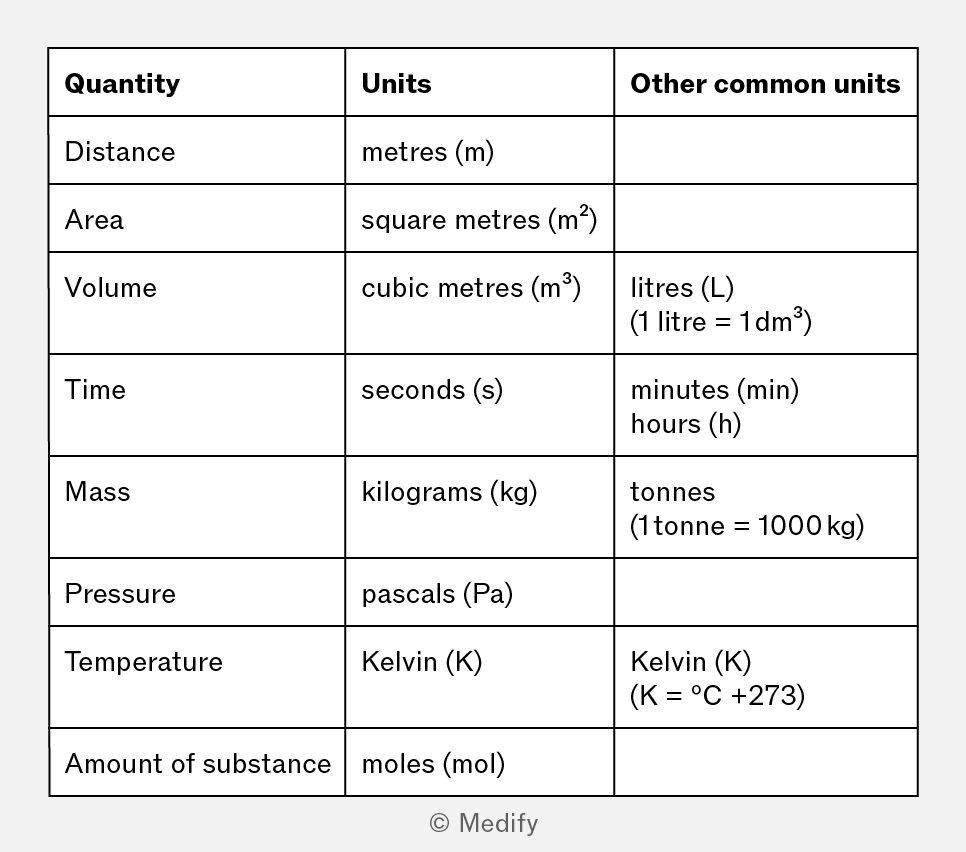
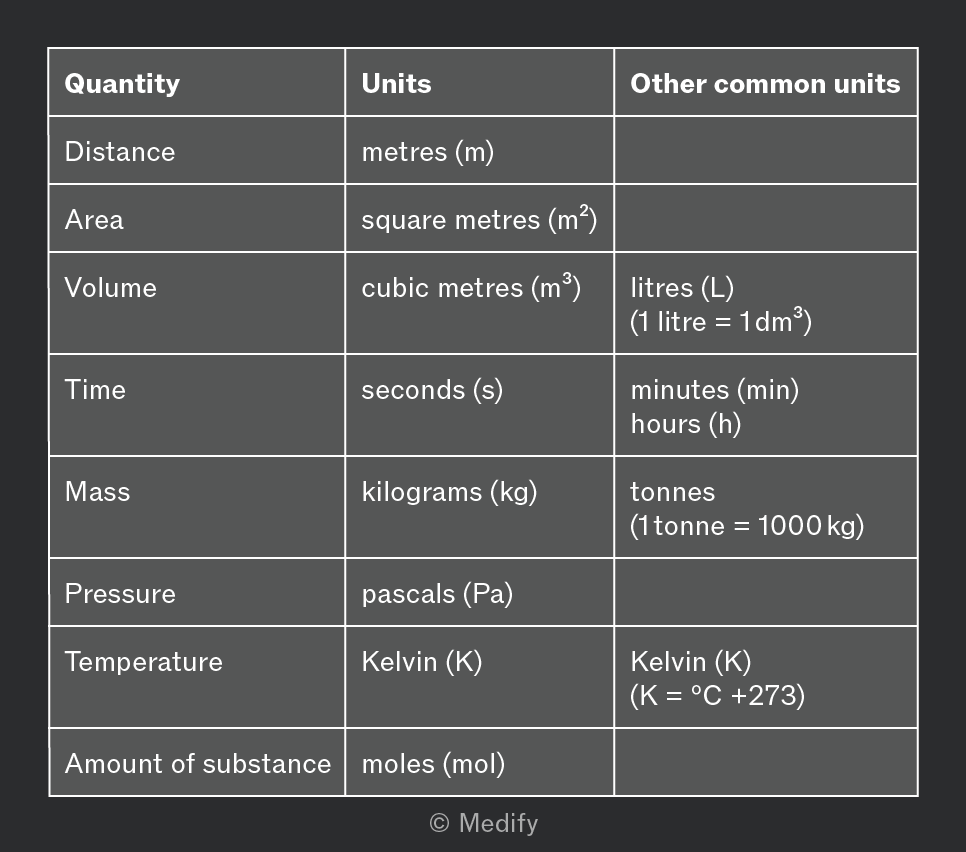
You may also see some of these units combined with prefixes to handle very large and very small numbers.
For example, the milligram (mg) is a unit for very small masses;
These units may be combined into more complex units.
For example, concentration can be measured in millimoles per cubic decimetre
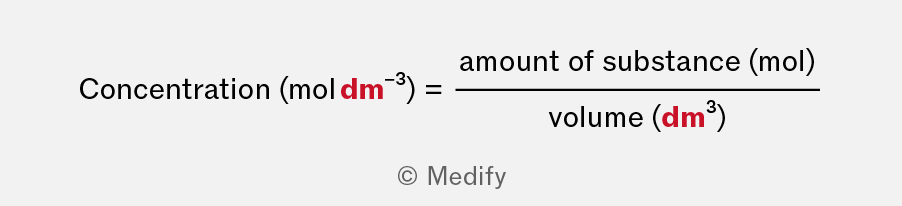
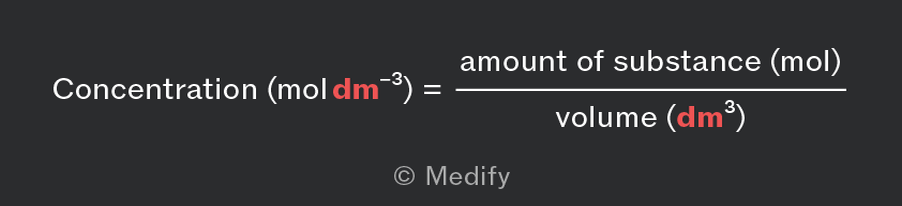
Quantities in a formula must have consistent units of measurement.
For example, if concentration is given in mol dm-3, then volume must be in decimetres cubed rather than centimetres cubed or metres cubed.
To make it easier to think about and discuss very large and very small numbers, scientists use prefixes before the units.
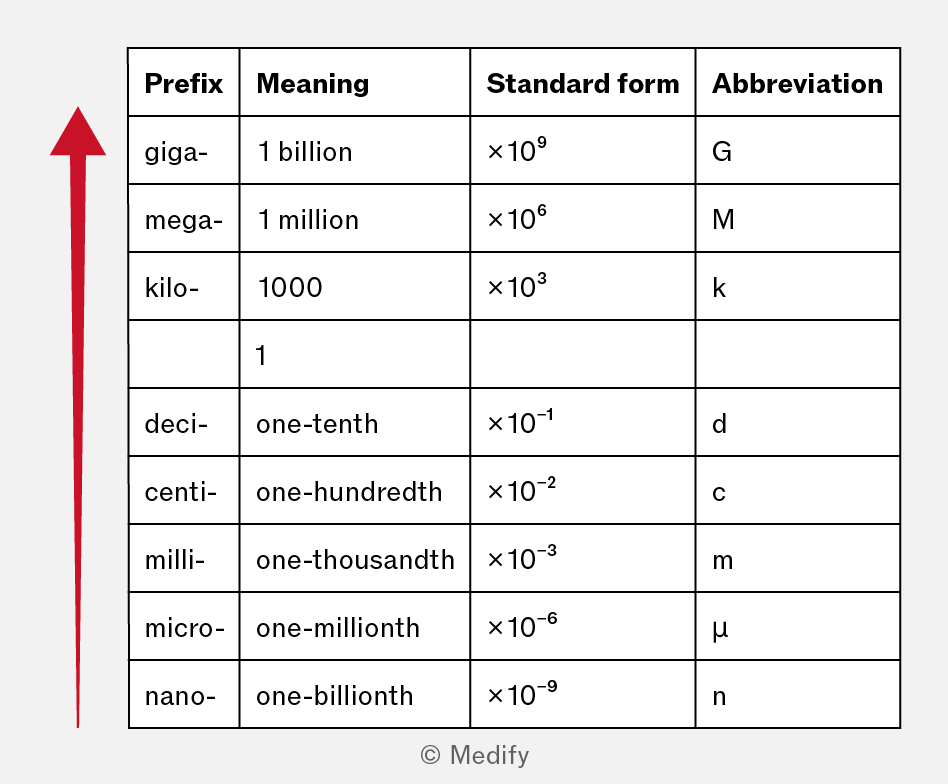
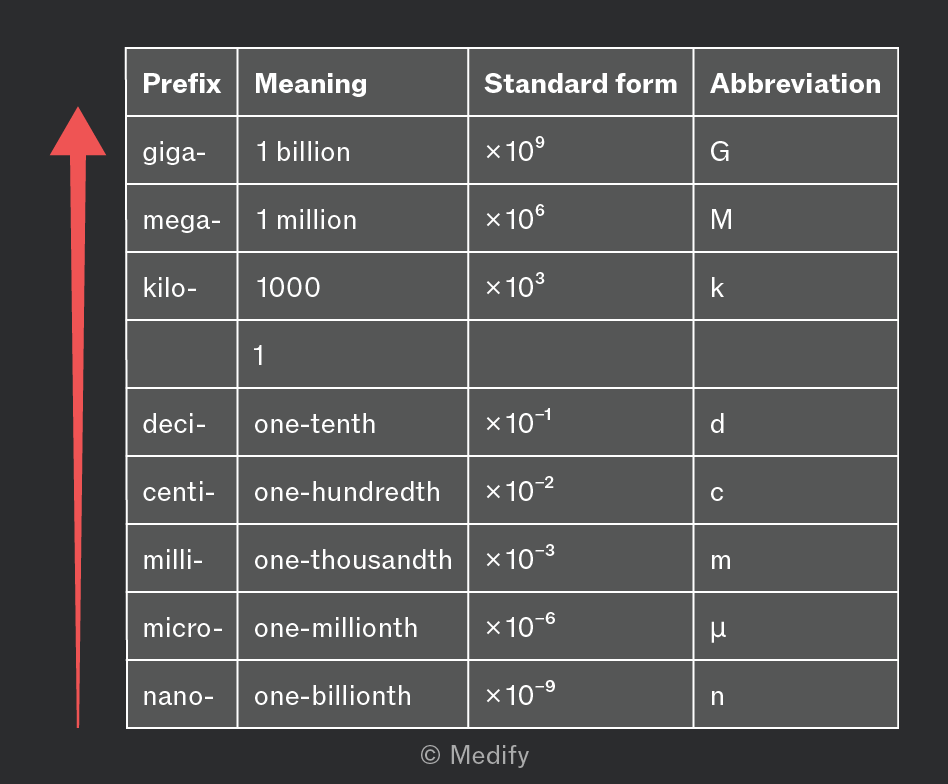
For example:
- Four million joules is four megajoules, written
- One millionth of a gram is a microgram, written
- 0.05 seconds can be expressed in milliseconds as
In Chemistry, the most commonly used prefixes that should be learned are;
nano-, milli-, centi- and deci-.
Question walkthrough
Convert between units of area and units of volume.
Converts a land area from km² to m² and to cm² in standard form, then converts a volume from mL to m³, deriving the correct power-of-ten conversion factor for area and volume units.
Many quantities have units with a negative exponent, such as the following:
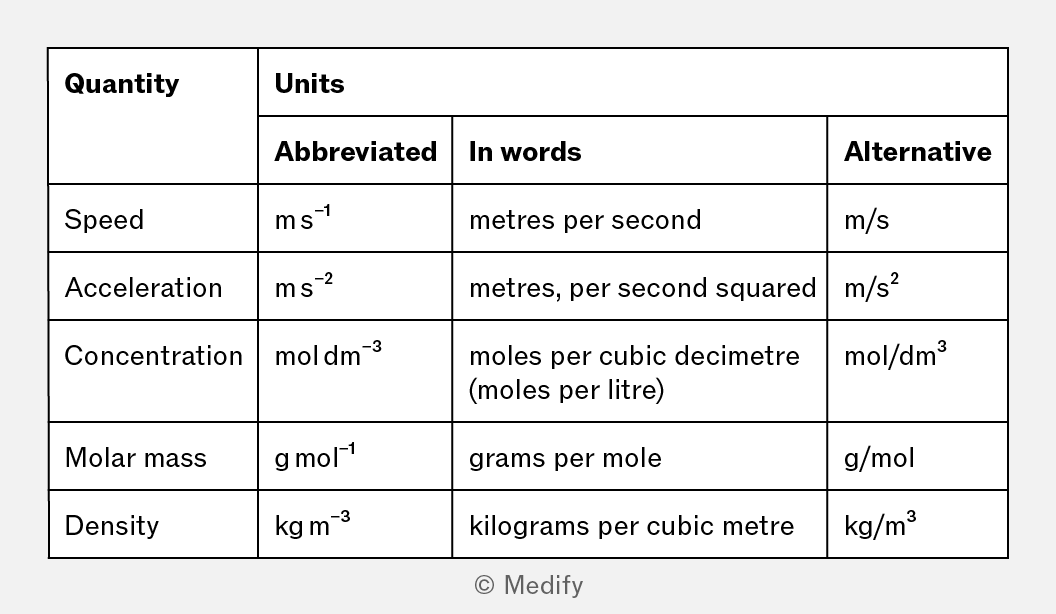
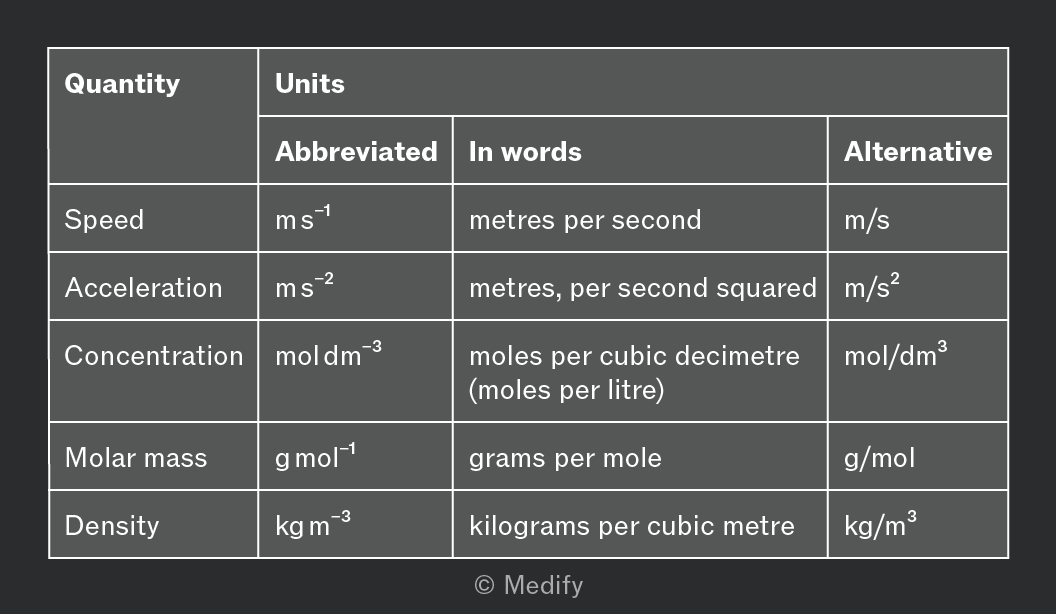
You can read these units as the first quantity per the second quantity, as written in the ‘In Words’ column.
It is useful to know that these units can also be written using a slash (‘/’), as written in the ‘Alternative’ column.
A rate quantifies how much something changes in a fixed time interval.
For example, the rate that people enter a stadium before a football match could be measured in people per minute, abbreviated as or as people/min.
Question walkthrough
Determine the correct units for rates.
Converts a mass from tonnes to kilograms, then divides by time to find a rocket’s fuel consumption rate in kg per second, deriving the correct units along the way.
One litre is a volume equal to a cube with sides of This is a cubic decimetre, written It is also equal to
There are 1000 litres in
The standard prefixes can be used for litres. For example, a raindrop might be which could be written
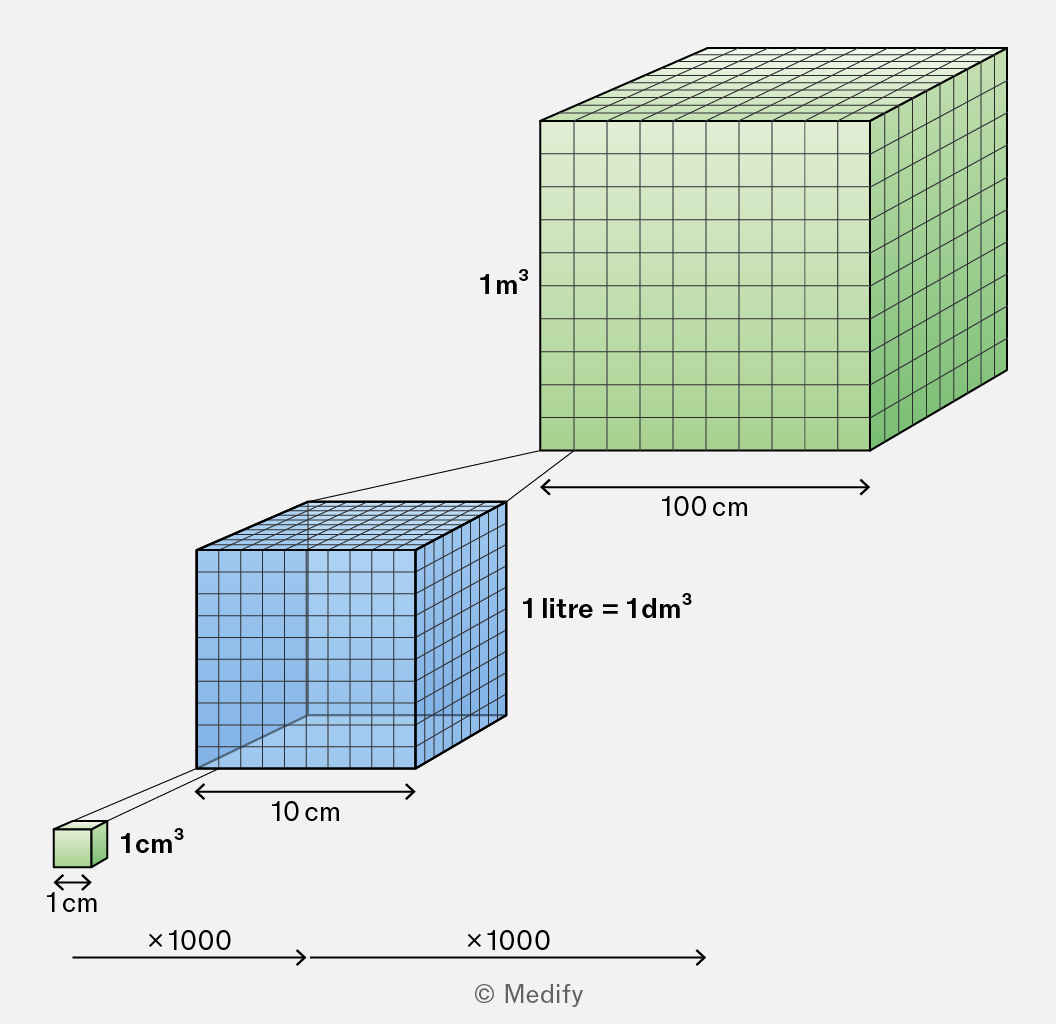
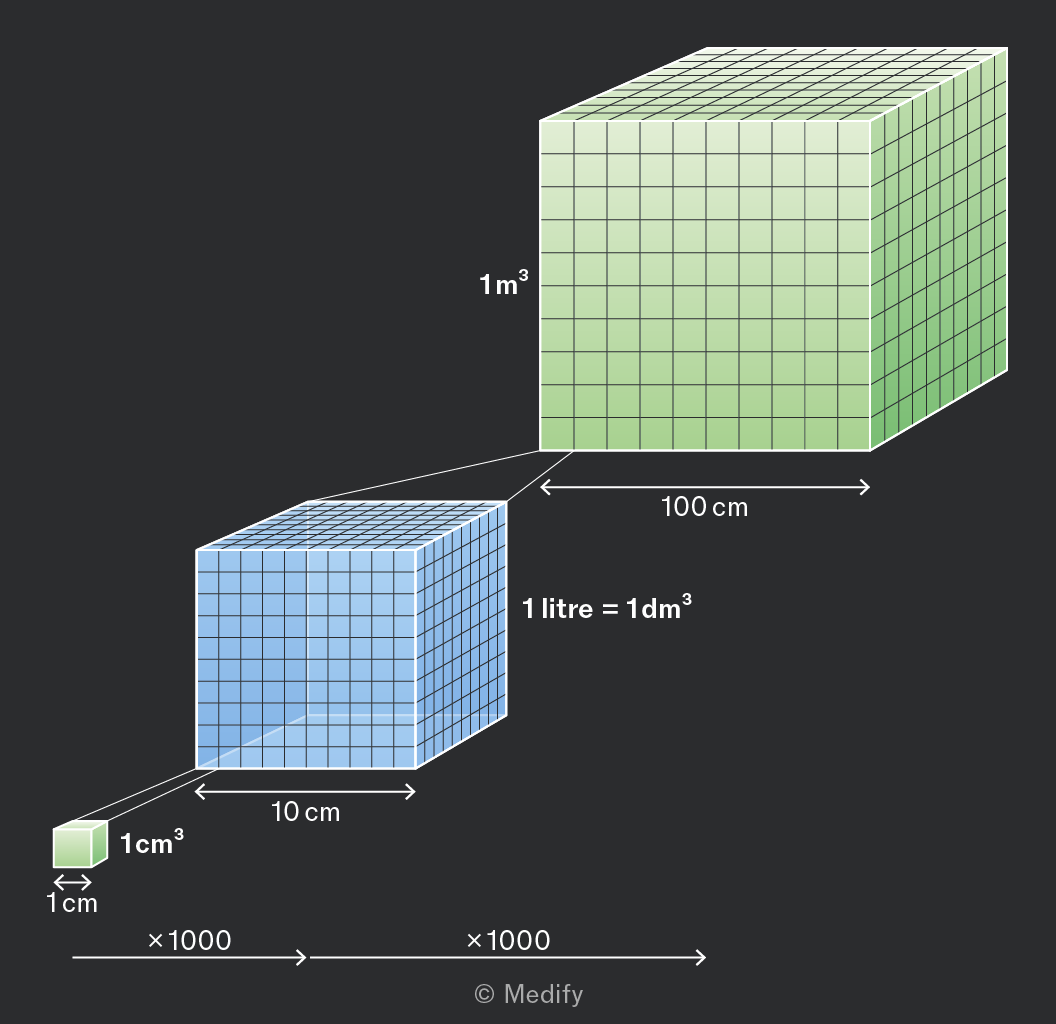
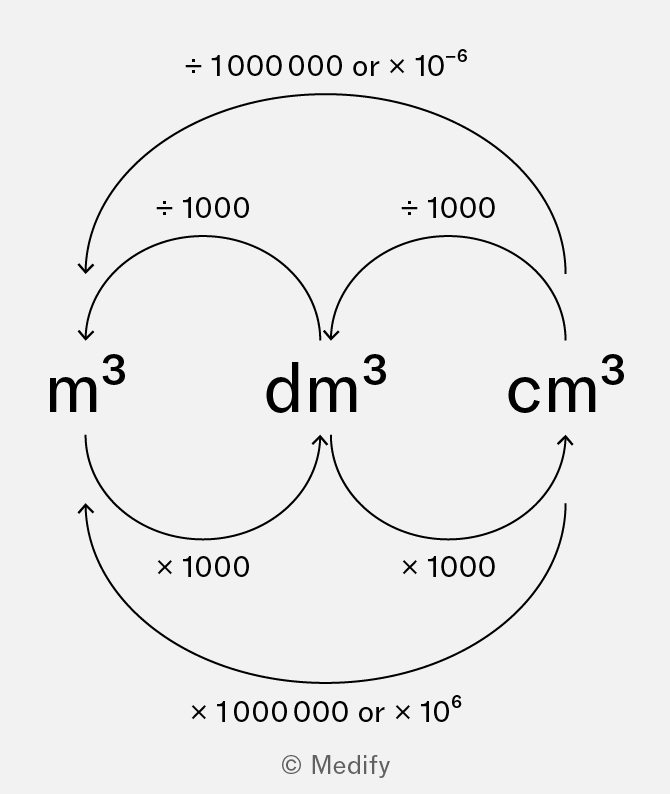
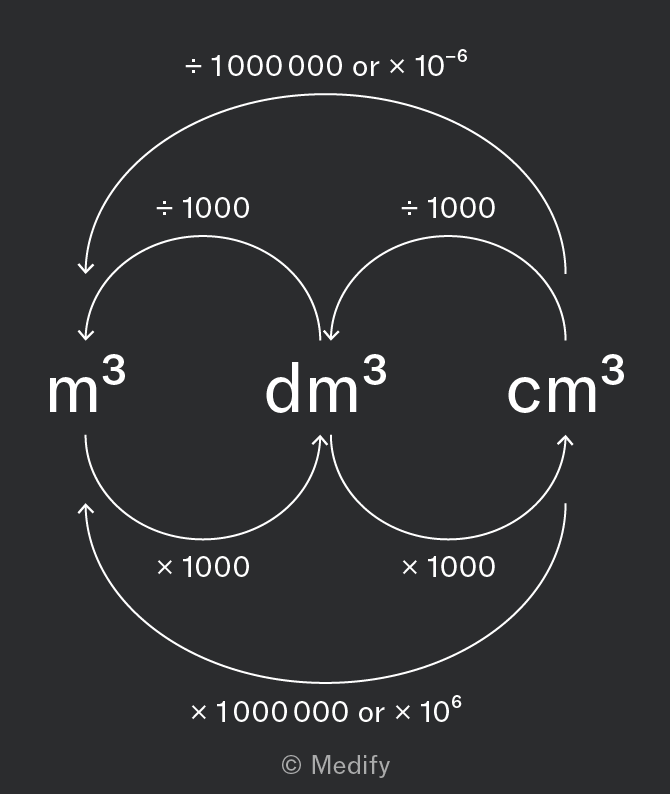
Converting between m3, cm3, and dm3 is an important skill. The diagram below shows how this is done.
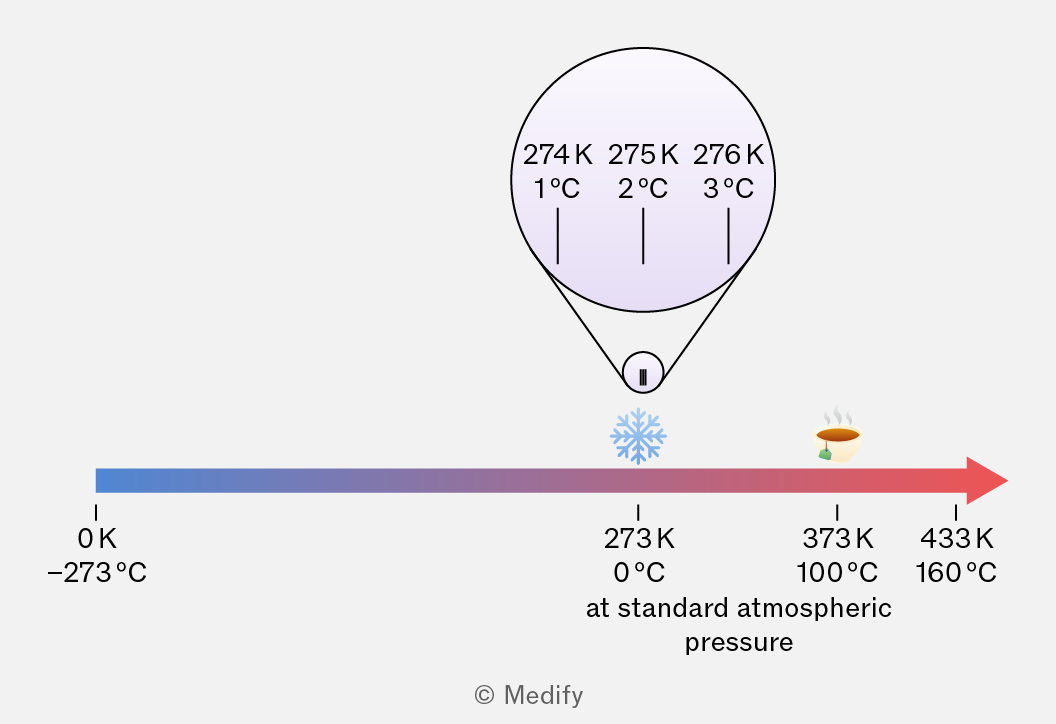
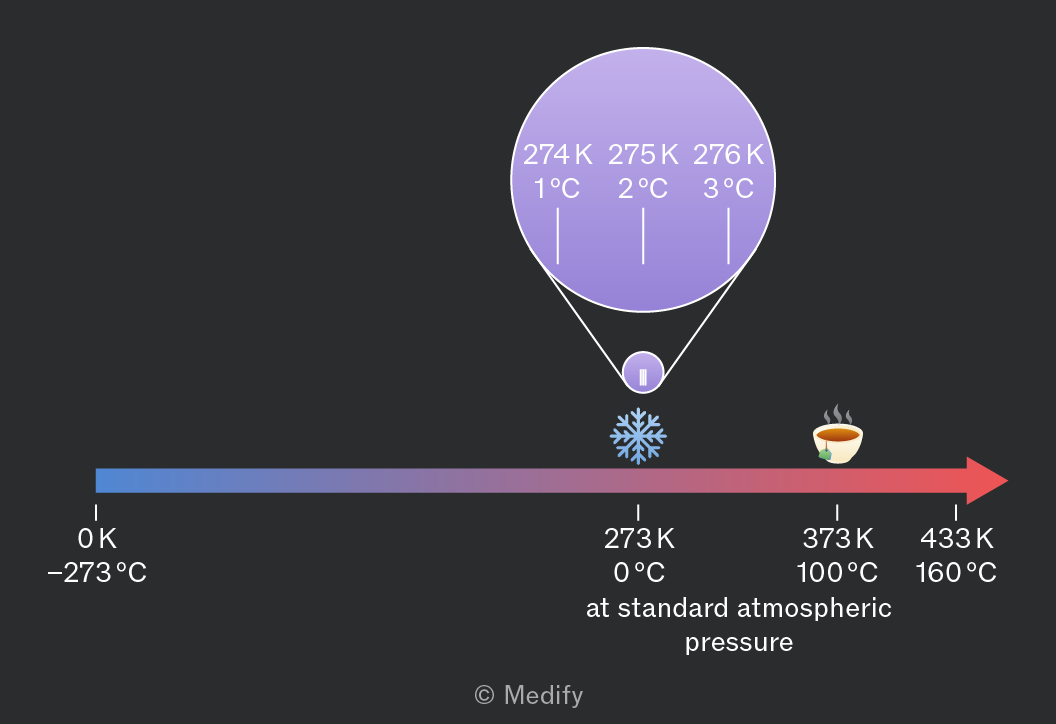
Temperature can be measured in several different units. In Science, the two important units of temperature are:
- degrees Celsius where water freezes at and boils at
- Kelvin where is the minimum possible temperature, known as absolute zero, and an increase of is equal to an increase of
Since absolute zero is at approximately
Temperature in Kelvin = temperature in degrees Celsius + 273
The number can be written in many ways, including:
While all of these expressions are equal to one of them is unique in that the value on the left (in bold) is between one and ten. This is known as its standard form.
A number is written in standard form as:
Where:
- is any integer, and
- shows the significant figures.
Any number (except zero) can be written in standard form. This is especially useful for very large and very small numbers, as it avoids writing too many zeroes.
It is important to know how to read and write numbers in standard form.
In your exam, you may write your answer either in standard form or as an ordinary number, unless the question requests a specific way to write the answer.
For example, the number may be written like that, or in standard form as
When numbers are written in their standard form, it is easy to compare their sizes:
- The number with the larger exponent, is always the largest number
- If two numbers have the same exponent, you can compare the significant digits in
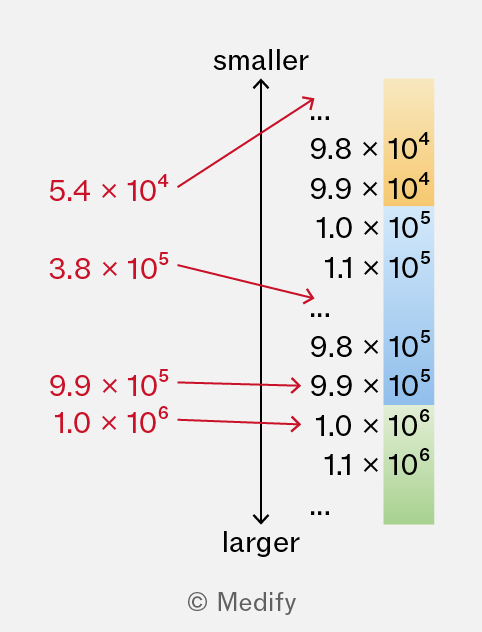
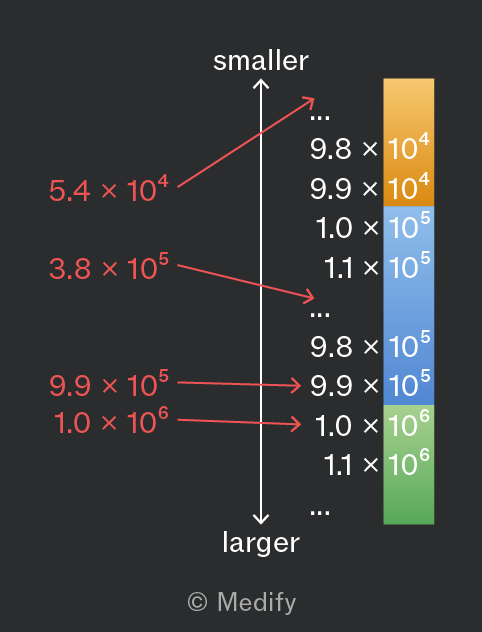
For example, consider the following inequality:
The number would be much smaller than all of these.
The number would be much larger than all of these.
In standard form, small numbers such as have a negative power of ten.
When dividing by such a number, the relevant power law tells you to subtract this negative number. Ensure you do this correctly, as it is a common mistake among students.
Numbers are often presented to a certain number of significant figures, especially if the number is derived from a measurement, to indicate the precision of that number.
For example, and each have three significant digits, and are more precise than which has only two.
When converting between standard form and ordinary numbers, you must retain the same precision by including the same amount of significant figures, even if the last digit is a zero.
Your scientific calculator may be able to convert numbers to and from standard form.
You should familiarise yourself with this functionality, so you can use it easily in your exams.
For example, on a Casio calculator, press SHIFT + SET UP and find the setting to change to Sci mode, which stands for ‘scientific notation’ and displays numbers in standard form.
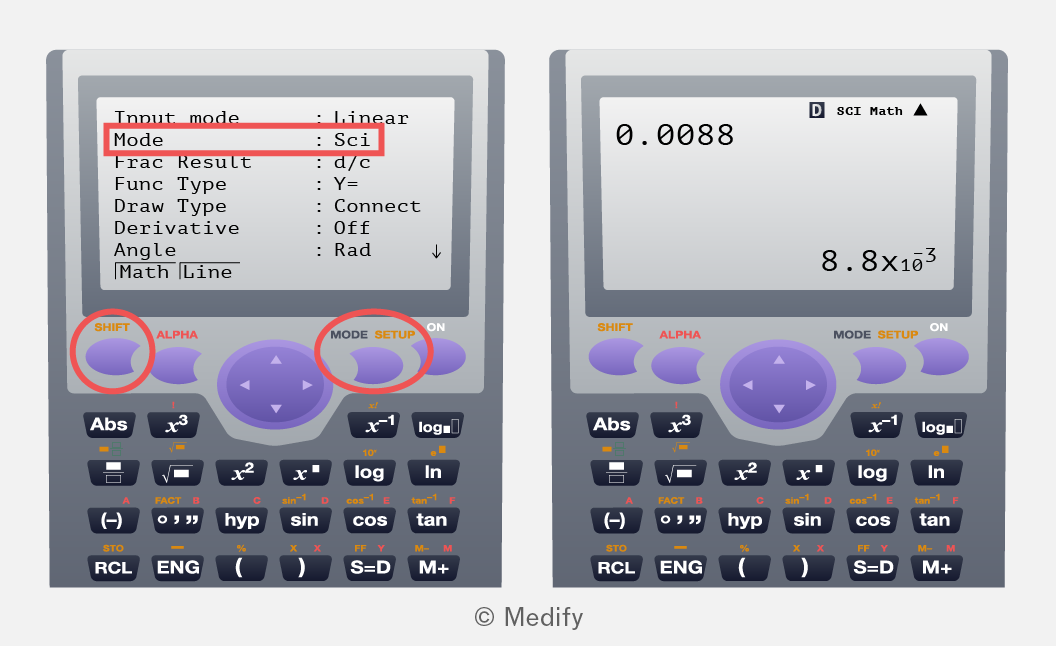
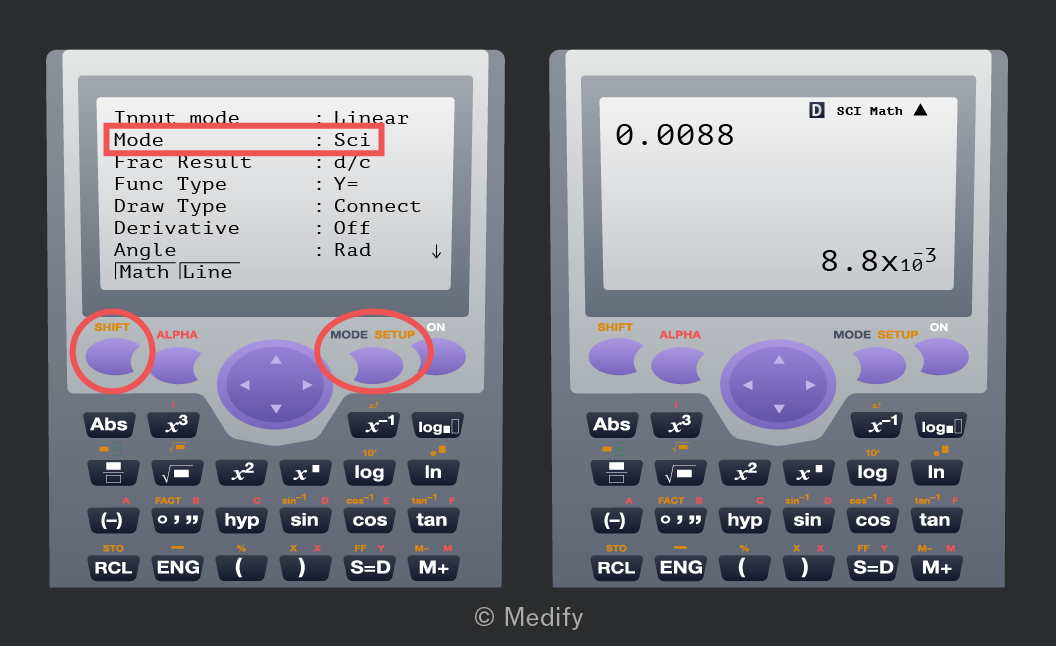
Ask your friends or teacher, or check online for instructions, if you need help checking what mode your calculator is in, or how to change modes.
Try typing 0.0088 on your calculator, and then follow the instructions to convert it to standard form. The result should be
Numbers can be expressed in various forms, each suited for different contexts and calculations. Understanding these representations is crucial for effective mathematical communication and problem-solving.
For example, all of the following describe the same number:
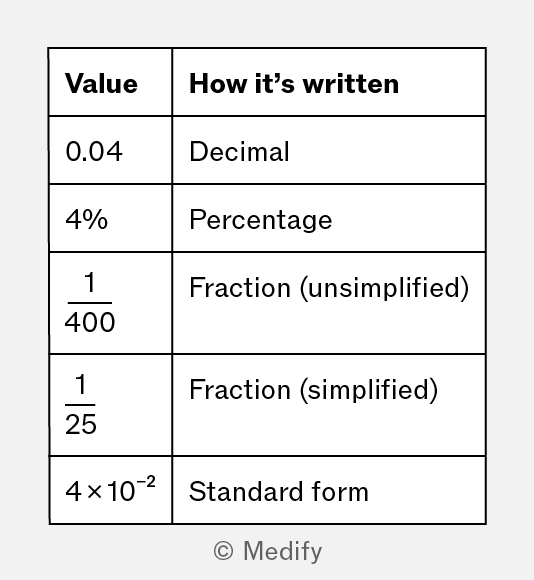
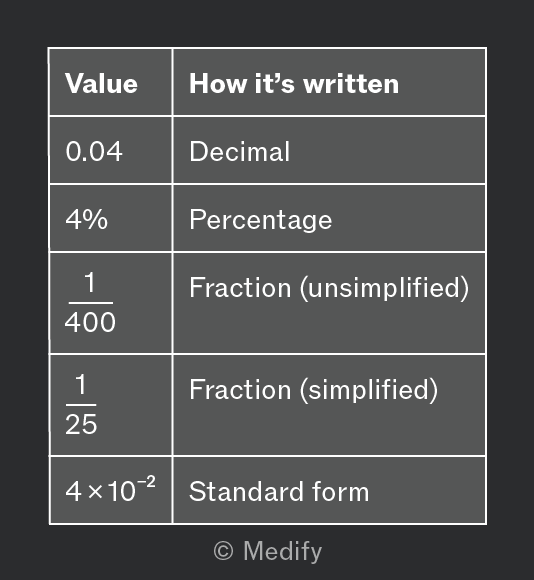
You need to understand numbers written in any of these ways, and how to convert numbers to decimals, percentages, and standard form.
The way you write the number may depend on:
- what form related numbers were provided to you in,
- what you are trying to do with these numbers’ and
- how the question might ask you to present your answer.
Ratios are equivalent if they represent the same proportion.
For example, and are equivalent to each other.
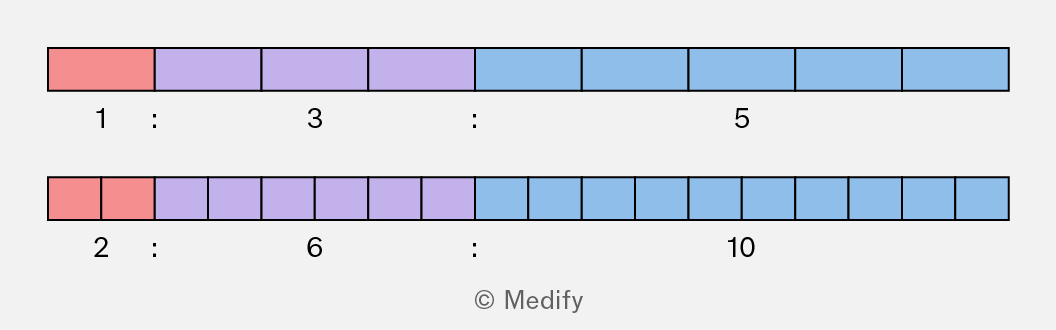
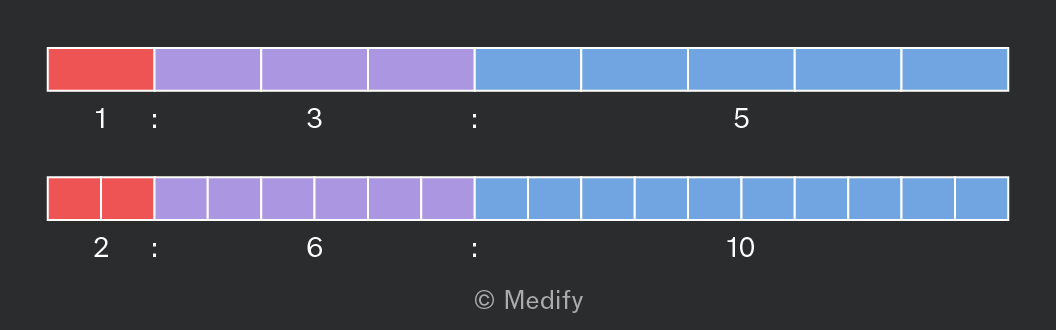
You can convert any ratio to another, equivalent fraction, by multiplying or dividing each part by the same number.
This is useful when simplifying ratios to an equivalent ratio that uses smaller numbers.
For example:
Question walkthrough
Create ratios from various information
Converts mixed time units into a simplified ratio in part (a), then builds a ratio from relative statements (‘twice as long as’, ‘half as long as’) using an arbitrary starting value in part (b).
You can use a ratio to divide a quantity into parts.
For example, to divide into three parts in the ratio
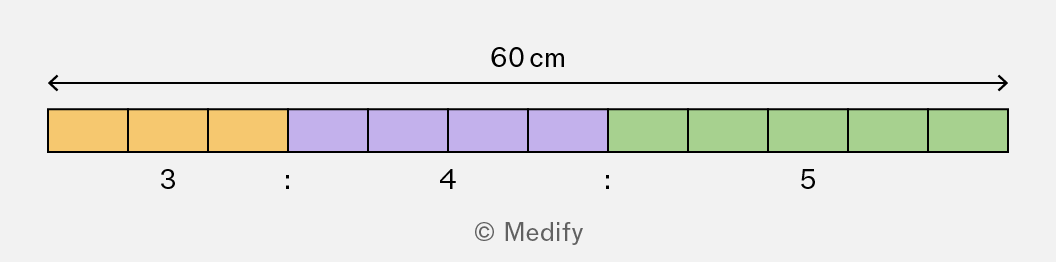
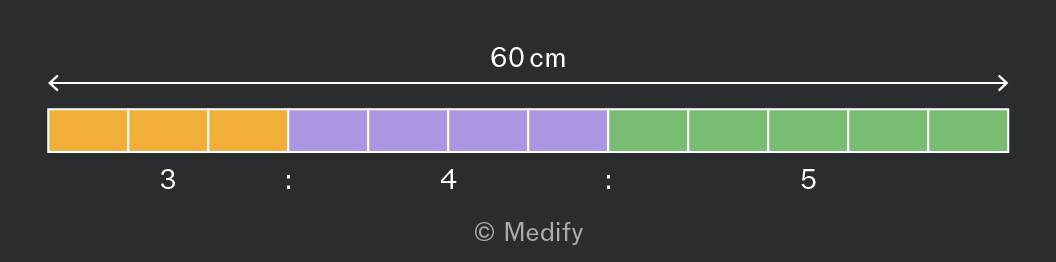
To do this:
1) Determine the number of parts:
2) Use this to find the size of one part by dividing the total amount by the number of parts:
3) Multiply each part of the ratio by this size:
Question walkthrough
Use ratios to divide quantities
Uses the ratio 3:5:2 to find the red paint needed given a known blue paint volume, then finds the blue paint needed for a 3-litre batch of the mixture.
The simplest way to solve most calculations involving percentage change is to convert the percentage to a multiplier.
You can find the multiplier by applying the percentage change to the number 1.
For example:
- An increase of has a multiplier of 1.50.
- A decrease of has a multiplier of 0.50.
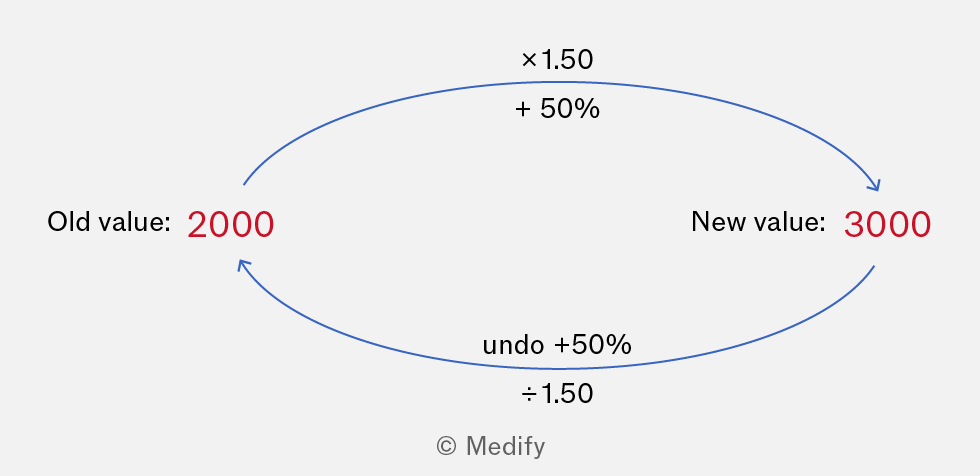
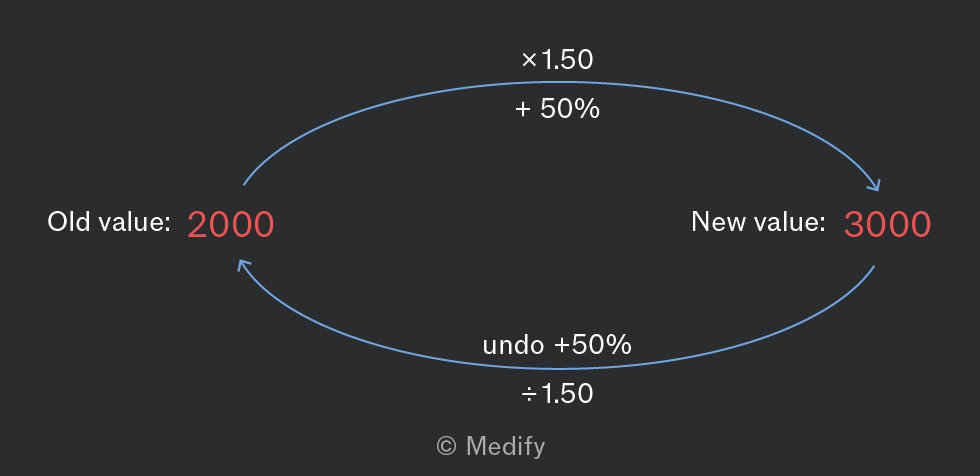
To increase 2000 by multiply
If an unknown value has been increased by to 3000, find the old, unknown value by dividing by the multiplier:
Be careful when finding the old value before a percentage change.
For example, suppose that in the past month, the number of bees in a hive increased by and is now 440 bees. What was the previous value?
Although the old value is clearly smaller than 440, you must use the multiplier for a percentage increase (1.1) and divide by that to find the old value.
Assessing whether your calculated answer for a quantity is reasonable using your scientific understanding or general knowledge can be very useful.
For example, suppose you are estimating how much petrol a car will need for the journey to a beach about 80 miles away. You know that a typical car travels about 40 miles per litre of fuel. However, you incorrectly multiply these quantities, rather than divide them:




When you don’t need a precise result from a calculation, you can do a quick estimate. This is useful for checking whether your answer is reasonable and faster than using a calculator.
There are many good ways to estimate.
You can round each value to one significant figure or to another number that you consider convenient.
For example:
The exact answer is confirming that the estimate was quite accurate.
When estimating, you should round each value to a number that is both:
- close (so the estimate will be accurate enough)
- easy for arithmetic (so you can easily complete the calculation)
When estimating a multiplication, determine if the estimate is likely to be an overestimate or an underestimate:
- Rounding either value up causes an overestimate.
- Rounding either value down causes an underestimate, for the same reason.
For example, estimating gives an overestimate, because the correct answer is
When estimating a division, the opposite is true for the denominator: rounding up results in an underestimate, and rounding down causes an overestimate.
For example, estimating gives an overestimate, because the correct answer is
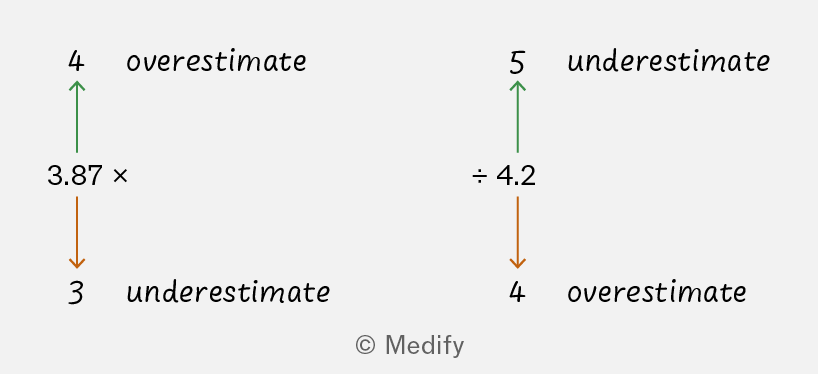
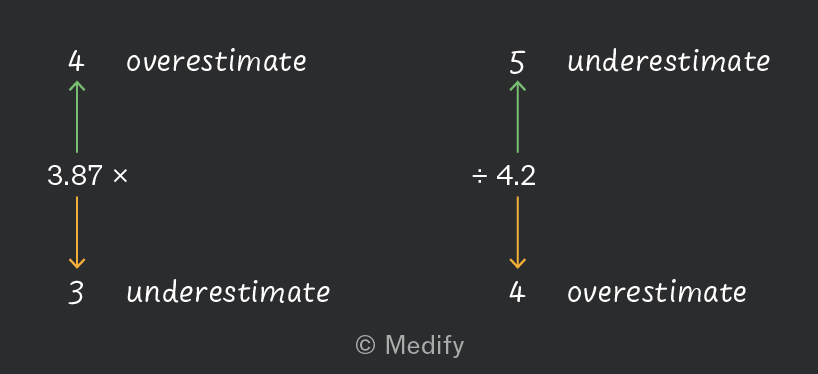
Note most estimation requires rounding multiple values. Depending on which values are rounded up or down, the result could be a clear overestimate, a clear underestimate, or unclear.
Question walkthrough
Estimate a result, and determine whether it’s an underestimate or overestimate
Estimate results with easier arithmetic.
Your scientific calculator has buttons to calculate for any value of and
You should familiarise yourself with these buttons, so you can use them easily in your exams.
For example, a Casio calculator has the following:
- for arbitrary and
- for powers of 10.
- for the exponential function (powers of
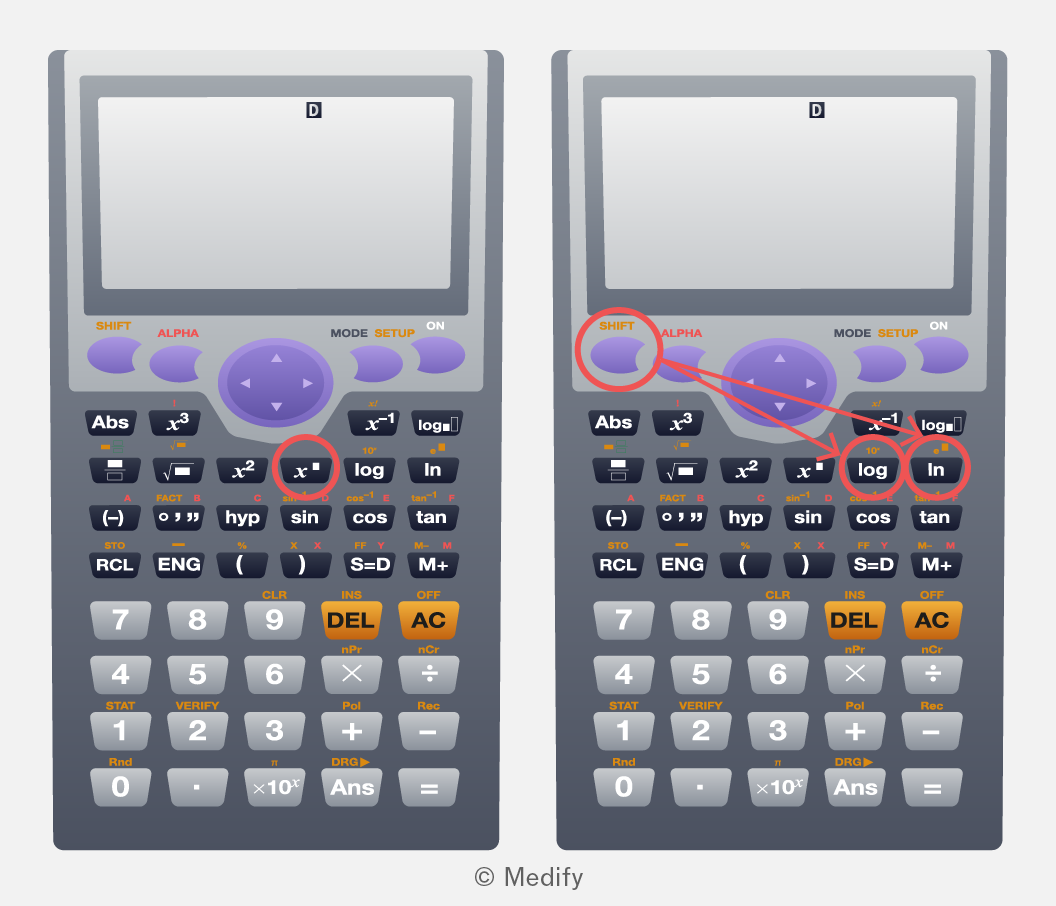
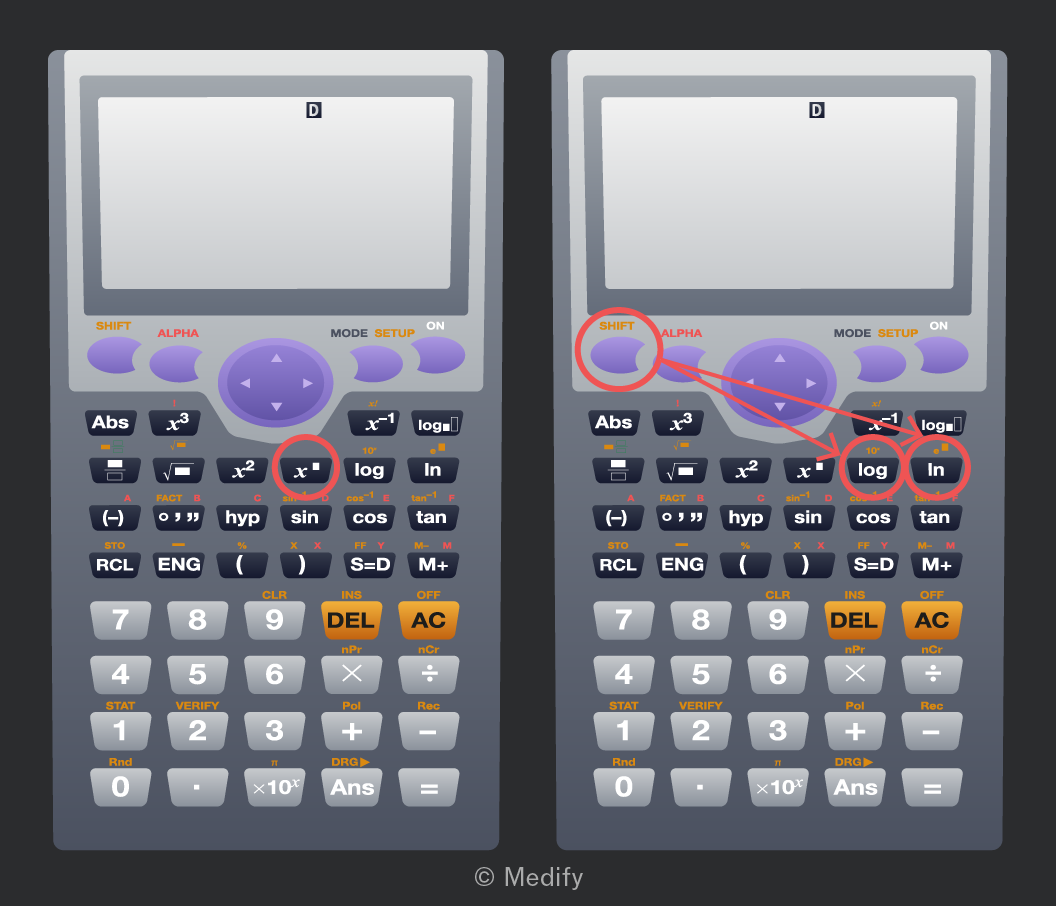
Try calculating on your calculator. On the display above, this would be using SHIFT, log, 3 and =. Your calculator may be different. The result should be 1000.
Try calculating on your calculator. On the display above, this would be using 7, 4 and =. Your calculator may be different. The result should be 2401.
You can use the exponent buttons on your scientific calculator to type numbers in standard form. You should familiarise yourself with how to do this, for the calculator that you will use in your exams.
For example, on a Casio calculator, you can use the button.
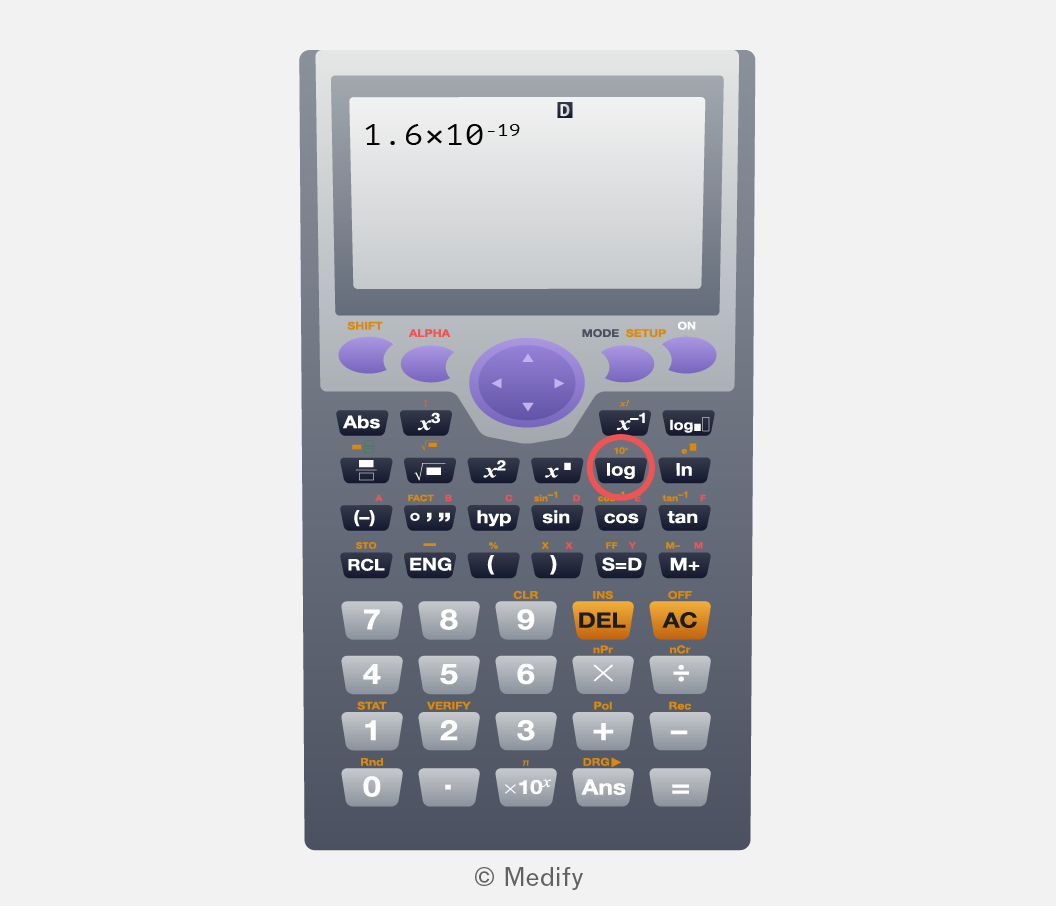
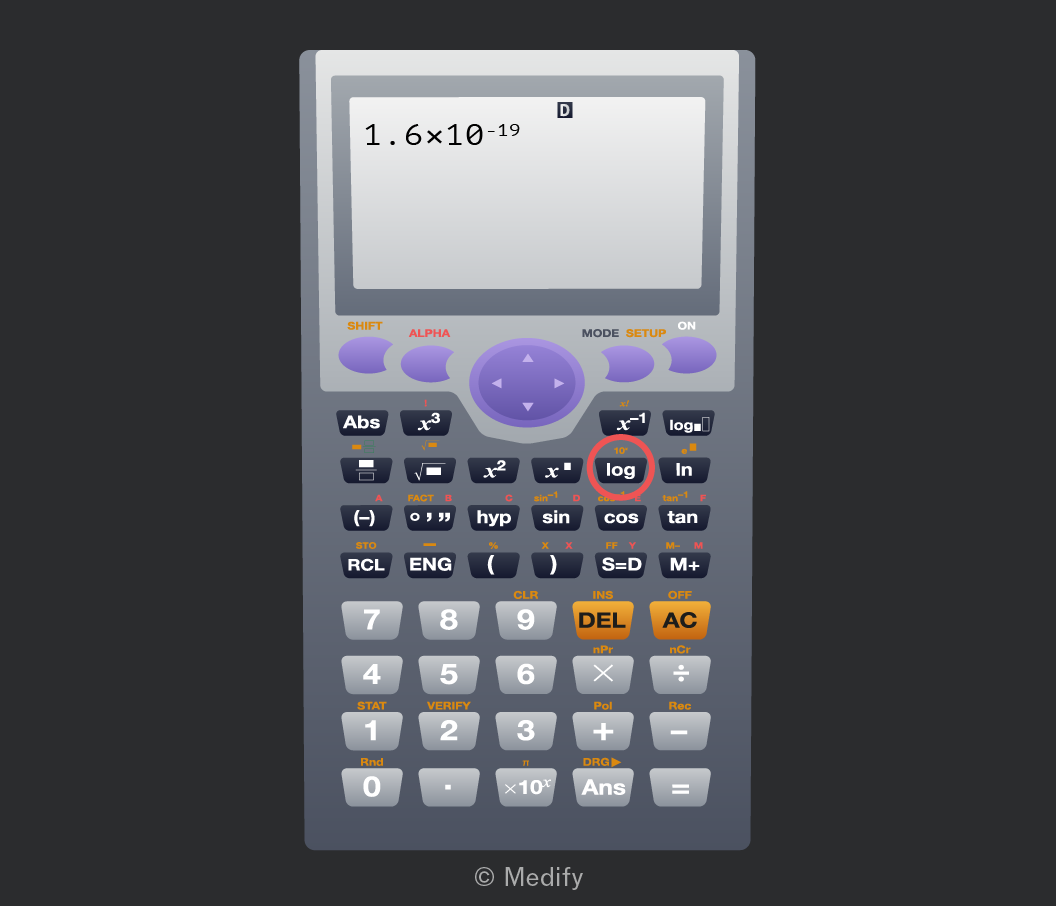
Try calculating on your calculator. On the display above, this would be using 4, – and 3. The result should be 0.004.
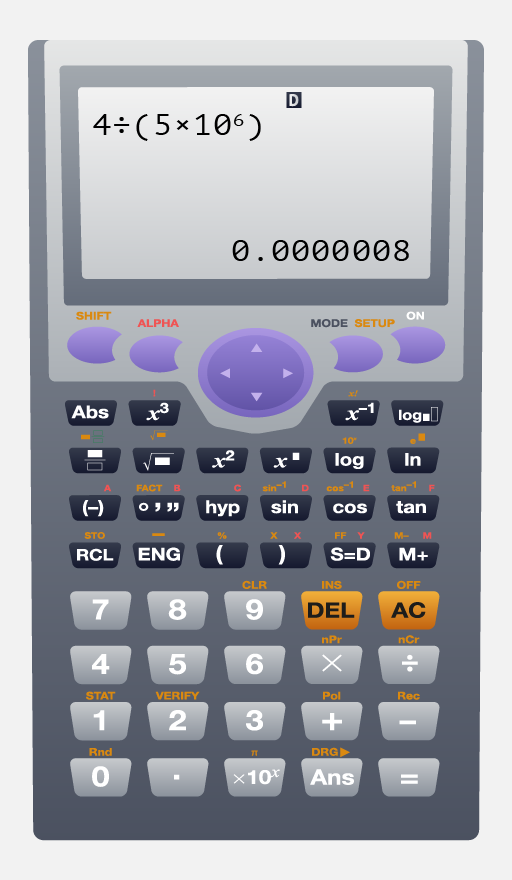
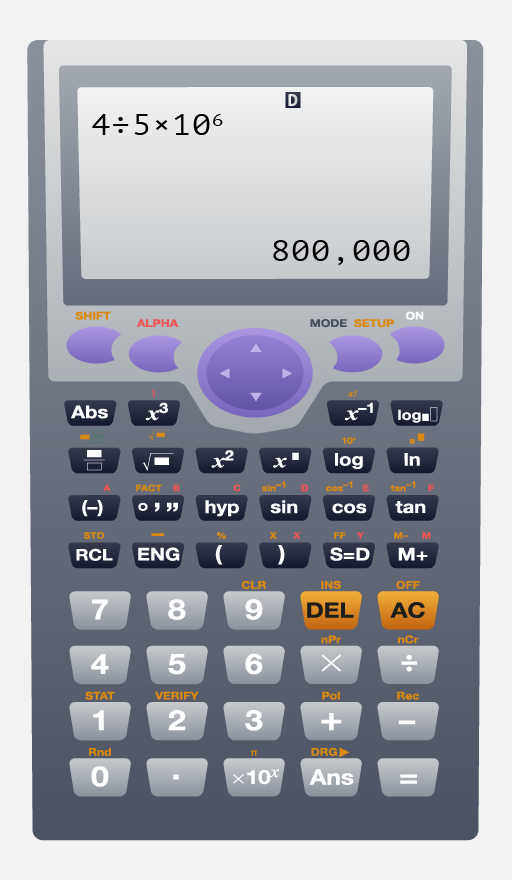
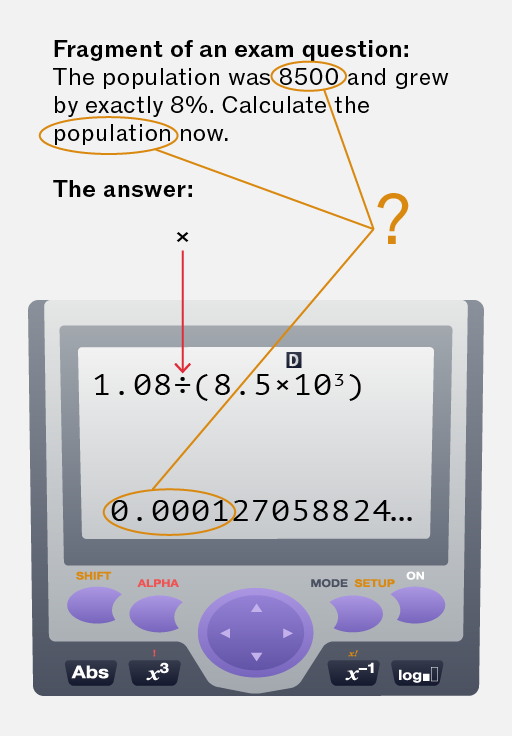
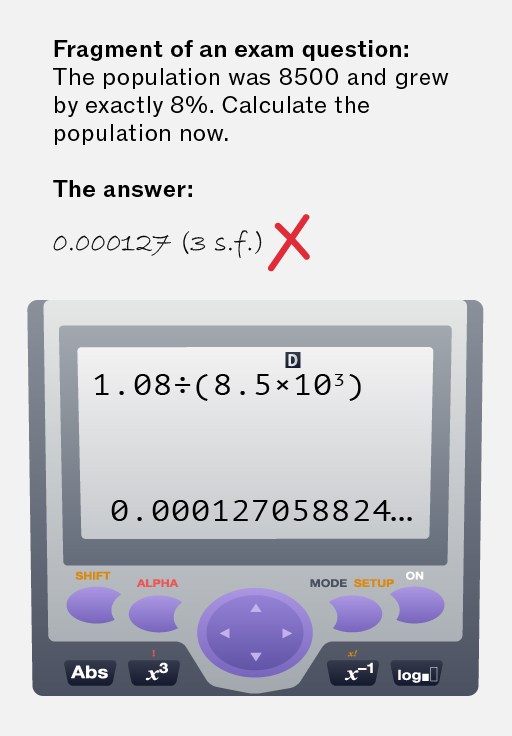
One common mistake when using a scientific calculator is when dividing by numbers in standard form. You must use brackets to enforce the correct order of operations.
For example, consider the expression This is not the same as
Your scientific calculator has buttons to calculate logarithms to any base.
You should familiarise yourself with these buttons, so you can use them easily in your exams.
For example, a Casio calculator has the following:
- for logarithms to base 10.
- for natural logarithms, which are to base
- for logarithms to any base that you specify.
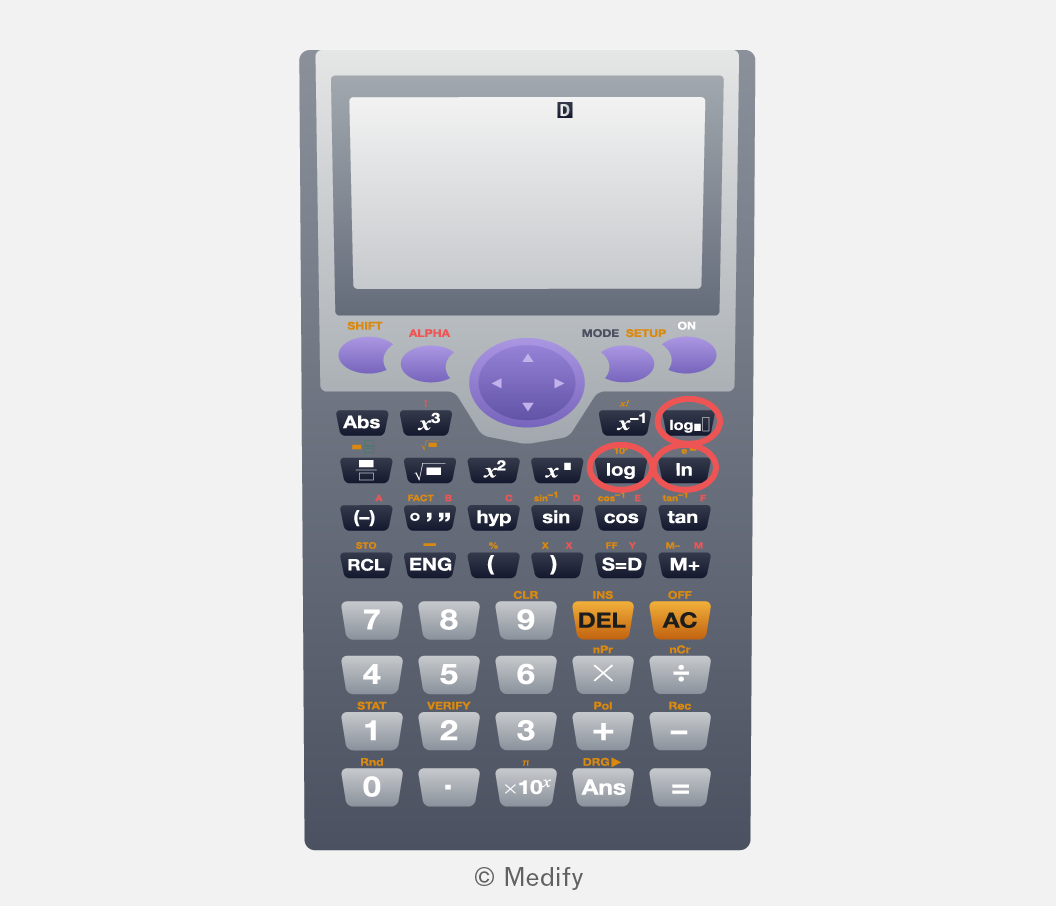
Try calculating on your calculator. On the display above, this would be using 1000 and =. Your calculator may be different. The result should be 3.
Try calculating on your calculator. On the display above, this would be using 2, right arrow, 128 and =. Your calculator may be different. The result should be 7.
Students commonly make errors when typing expressions into their calculator.
You should check whether your answer is reasonable to make sure that you haven’t made such an error. If your answer looks unreasonable, you have the opportunity to correct your calculation.
The following might help you notice an unreasonable answer:
- Based on your scientific knowledge (or general knowledge), is the result the order of magnitude that you would expect?
- Should your result be a whole number or a decimal?
- Are there other equivalent values in the question that your result should be similar to?
Choosing the right calculator can make a big difference in your A-levels. Most science students aspiring to medical school also take A-level maths. For these students, a graphic calculator may be a worthwhile investment across multiple subjects, despite its higher cost.
The fx-CG50 from Casio, and its newer model, the fx-CG100, are the most advanced graphic calculators approved for UK A-level exams.
- Best for students seeking to deepen their understanding of concepts, work through complex problems, and explore topics such as vectors and 3D graphing.
The FX-991CW is Casio’s top-tier non-graphic scientific calculator, approved for all major A-level exams.
- Ideal for students who don’t need graphing functions, prefer a familiar layout from GCSE, or want a more affordable yet capable calculator for A-level science and maths.
Disclaimer: Medify Ltd is not affiliated with CASIO or its subsidiaries. References to CASIO products are for educational purposes under fair use.